
Introduction to FRP Lock: Understanding the Basics
In today’s digital age, securing your Android device is paramount. One crucial security feature is the FRP Lock, also known as Google’s Factory Reset Protection. This tool is designed to prevent unauthorized access to your device, especially after a factory reset. Essentially, the FRP Lock requires the input of the original Google account credentials linked to the device, ensuring that a stolen or lost phone cannot be easily wiped and reused by unscrupulous individuals.
The Google Factory Reset Protection mechanism kicks in when someone attempts to reset the device to its factory settings. This reset protection feature has been a game-changer in the realm of mobile security, making it significantly harder for unauthorized users to bypass FRP and gain control of your data. However, it’s essential for legitimate owners to understand the FRP unlock method, in case they need to regain access to their devices.
For more insights on tools and methods related to FRP lock removal, check out our detailed guide on The Ultimate FRP Unlocking Utility. Additionally, refer to authoritative resources like Android Central’s FRP Lock Explained to broaden your understanding of Google’s account verification protocols.
The Purpose of FRP Lock: Why Does Google Use It?
Google’s Factory Reset Protection, commonly referred to as FRP lock, is a pivotal security measure designed to protect Android devices against unauthorized access. The primary purpose of the Android FRP lock is to serve as a deterrent for thieves and safeguard the personal information of users. By requiring Google account verification, it ensures that even if a device falls into the wrong hands, the sensitive data remains protected.
This reset protection feature exemplifies Google’s commitment to providing a secure environment for its users. Attempting a bypass FRP without proper credentials can render the device temporarily unusable, reinforcing the need for legitimate access only. While there are FRP unlock methods available for legitimate owners who have forgotten their credentials, they are typically intended for professional or authorized servicing use.
The proliferation of mobile theft and unauthorized access incidents underscores the critical importance of this security measure. Google Factory Reset Protection creates a robust barrier that not only secures Android devices but also reduces the incentive for theft, ensuring your device and data are safe. For more insights into FRP lock and potential bypass methods, you can explore this guide on Factory Reset Protection from an authority site.
How FRP Lock Works: A Step-by-Step Explanation
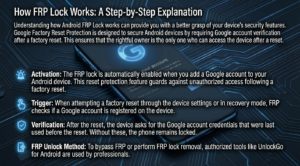
Understanding how Android FRP Lock works can provide you with a better grasp of your device’s security features. Google Factory Reset Protection is designed to secure Android devices by requiring Google account verification after a factory reset. This ensures that the rightful owner is the only one who can access the device after a reset.
- Activation: The FRP lock is automatically enabled when you add a Google account to your Android device. This reset protection feature guards against unauthorized access following a factory reset.
- Trigger: When attempting a factory reset through the device settings or in recovery mode, FRP checks if a Google account is registered on the device.
- Verification: After the reset, the device asks for the Google account credentials that were last used before the reset. Without these, the phone remains locked.
- FRP Unlock Method: To bypass FRP or perform FRP lock removal, authorized tools like UnlockGo for Android are used by professionals.
For further detailed information on Factory Reset Protection, check out Google’s official guide on the topic.
Benefits of Factory Reset Protection for Device Security
Google’s Factory Reset Protection (FRP lock) serves as a robust security measure designed to protect Android devices from unauthorized access. When devices are reset to factory settings without the owner’s permission, FRP lock kicks in, demanding the original Google account credentials used on the device. This reset protection feature effectively secures Android devices from potential misuse in the event of theft or loss.
There are several notable benefits to implementing FRP lock:
- Enhanced Security: The primary benefit of Google Factory Reset Protection is the added security layer it provides. It ensures that the reset of a device is only possible through owner verification via the Google account.
- Theft Deterrent: By requiring Google account verification post-reset, FRP lock serves as a deterrent to theft, as the device becomes unusable without access to the original credentials.
- Data Protection: In case of accidental loss, FRP lock helps ensure that your personal data does not fall into the wrong hands, thereby preserving your privacy.
For those exploring FRP unlock methods or bypass FRP techniques for professional or authorized servicing use, consider consulting guides like the UnlockGo for Android: Ultimate Guide for Screen Lock & FRP Removal for comprehensive insights.
For more detailed information about Google’s Factory Reset Protection, you can visit this external authority resource.
Common Scenarios That Trigger FRP Lock Activation
Understanding the scenarios that trigger Google’s Factory Reset Protection (FRP Lock) is crucial for anyone using an Android device. The FRP lock gets activated whenever a device undergoes a factory reset without removing the connected Google account. This security measure ensures that even if a phone is lost or stolen, unauthorized users cannot access it without the original account credentials, thereby offering a robust reset protection feature.
- Lost or Stolen Device: If your Android device gets lost or falls into the wrong hands, the FRP lock prevents unauthorized access after a factory reset.
- Device Resale: When you sell or exchange a phone, ensure that your Google account is removed to avoid FRP lock for the new owner.
- Software Glitches: Occasionally, updates or software glitches can trigger inadvertent factory resets, leading to activation of the FRP lock.
Being aware of these scenarios is vital for proper Android device management. For more detailed insights into how to deal with similar technology challenges, check out our comprehensive guide on screen lock and FRP removal.
For further authoritative information on Google’s Factory Reset Protection, you can visit Google’s official support page.
How to Bypass FRP Lock: Methods and Considerations
Bypassing the FRP lock, also known as Google Factory Reset Protection, can be crucial for users who need access to their device but are hindered by Google account verification. It’s important to approach this with care, as managing your reset protection feature improperly can lead to security vulnerabilities.
FRP Unlock Method
One of the most common FRP unlock methods involves using authorized software designed for this purpose. Professional tools like the UnlockGo for Android can help facilitate the process. These tools guide users through specific steps to remove the lock, ensuring the device becomes usable without compromising its security.
If you’re opting for the manual method to bypass FRP, it usually involves several intricate steps which can vary based on the Android version and device model. Familiarizing yourself with a detailed FRP lock guide can be invaluable.
Considerations for Security
Before proceeding with any FRP lock removal technique, consider the potential security risks. While these methods can unlock your Android FRP lock, they can also expose your device to vulnerabilities if not executed correctly. Always use authorized tools and ensure your device has digital hygiene practices in place post-unlock to maintain a secure Android device. For more information on dealing with Android devices, check out articles on related topics such as the Beginners Guide to Odin Flash Samsung Firmware.
Remember, using a professional tool for the bypass process will not only adhere to the best practices but also ensure that your data integrity remains uncompromised, maintaining the protective features initially intended by the FRP lock.
Troubleshooting FRP Lock Issues: Tips and Solutions
Dealing with Google’s Factory Reset Protection (FRP) can sometimes be a daunting task, especially if you encounter unexpected lock issues. This section serves to guide you through common problems and provide effective methods for FRP lock removal, ensuring your Android device remains secure without the hassle.
Common FRP Lock Issues
The most prevalent issue users face is an inability to bypass FRP during a factory reset. This commonly happens when you forget your Google account credentials. Additionally, unexpected activation of the reset protection feature can occur if your device is linked to multiple Google accounts.
Solutions to Bypass FRP Lock
- Verify Credentials: Ensure you are using the correct Google account linked to your device. Double-check passwords and recovery options.
- Try Authorized Tools: Use professional tools such as UnlockGo for authorized FRP unlock methods. Such tools are designed for secure and professional servicing use.
- Contact Support: If all else fails, reaching out to Google or your device manufacturer for assistance is a reliable option.
For more in-depth exploration of FRP lock solutions, visit our detailed FRP lock guide.
To further understand and explore solutions for Google’s Factory Reset Protection, check the [official Google support page](https://support.google.com/android/answer/6160491?hl=en).
FRP Lock and Android Versions: Compatibility Overview
The Android FRP lock is a crucial reset protection feature that enhances the security of your device, but it also presents compatibility challenges across various Android versions. From the introduction of Google’s Factory Reset Protection in Android 5.1 Lollipop, each subsequent Android version has incorporated unique facets of this secure Android device mechanism. This ensures that even if your device falls into the wrong hands, Google account verification prevents unauthorized access, maintaining your data’s integrity.
With each Android update, the FRP lock evolves, potentially complicating the FRP unlock method for older models. For users looking to perform an FRP lock removal, understanding these evolutionary changes is vital. Some Android versions allow more straightforward methods for bypass FRP, while newer iterations may present additional security layers.
For anyone navigating these complexities, being well-versed in FRP lock explained can greatly aid in efficient management or unlocking attempts. For professional assistance, explore detailed guides like NatrixSoftTool – The Ultimate FRP Unlocking Utility. For more insights, a comprehensive FRP lock guide by Lifewire can further enlighten you on this essential Android security feature.
Factory Reset Protection: Pros and Cons for Users
Factory Reset Protection (FRP) is a crucial security feature designed to protect your Android device from unauthorized access in the event of theft or loss. Leveraging the Google account verification process, this feature ensures that only the original user can execute a device reset. However, like any security feature, FRP presents both benefits and challenges for users.
- Pros:
- Enhanced Security: FRP adds an extra layer of security, making it difficult for unauthorized users to wipe and reuse your stolen device. It essentially turns your device into a “brick” unless the correct Google login details are provided.
- Data Protection: By incorporating this reset protection feature, users are ensured that their personal data remains safe even if the device falls into the wrong hands.
- Cons:
- Difficult Bypass: In case you forget your Google account credentials, bypassing FRP can be challenging and may require professional services, like those discussed in our UnlockGo for Android Guide.
- Limited Access for Uninformed Users: Users who are unaware of how FRP works may find themselves locked out of their devices without a clear FRP unlock method.
Being well-informed about the functionalities and limitations of FRP is essential for both casual and professional users. For authorized servicing and to understand the full spectrum of safe practices, refer to credible resources such as this comprehensive guide by Android Central.
FAQs About FRP Lock: Your Questions Answered
What is an FRP Lock?
The FRP lock, or Factory Reset Protection lock, is a security measure provided by Google to safeguard Android devices. Designed to prevent unauthorized access after a device reset, it mandates Google account verification. By doing so, Google Factory Reset Protection ensures the security of your Android device. So, whenever a device is reset without the owner’s approval, this reset protection feature requires the original Google account credentials.
Can I Bypass the FRP Lock?
While it is technically possible to bypass FRP on some devices, it is essential to note that such methods can compromise the security and functionality of your device. If you forget your Google account credentials, it’s best to proceed with caution and use authorized services or professional tools. For a deeper understanding of these processes, you might consider exploring this comprehensive guide on FRP lock removal and unlock methods.
Is the FRP Lock the Same on All Android Devices?
The core functionality of the Android FRP lock is similar across different devices, but some manufacturers might add their unique variations or additional layers of security. Therefore, the FRP lock explained here serves as a general guide, but device-specific instructions might vary. Always refer to your device’s user manual or official support page.
Where Can I Get Professional Help for FRP Removal?
If you’re unsure about proceeding with an FRP unlock method by yourself, professional tools and authorized servicing can provide assistance. For mobile technicians and enthusiasts, tools like the Chimera Tool are recommended for secure FRP lock removal.
For more insights and official Google guidelines, visit the Google Support page about FRP.
FRP Lock and Data Privacy: What You Need to Know
In today’s digital age, data privacy ranks high on the list of concerns for smartphone users. Google’s Factory Reset Protection (FRP Lock) plays a pivotal role in safeguarding your personal information. Designed to protect your device against unauthorized access, the Android FRP lock requires Google account verification before a factory reset can be performed. This reset protection feature ensures that even if your device is stolen, your data remains secure.
Understanding the implications of FRP Lock is vital. Not only does it secure your Android device, but it also adds a layer of complexity to the FRP unlock method when you need to bypass FRP for legitimate reasons, such as forgetting your Google account details. This is where FRP lock removal tools come into play, although caution is advised—professional tools should be used under authorized conditions. If you’re exploring methods to manage such secure access, knowing how to unlock Android devices properly or repair tools could be a worthy read on services like our UnlockGo Guide for FRP Removal.
Learn more about FRP Lock from additional resources like [this article](https://support.google.com/nexus/answer/6172890?hl=en) on Google’s support center, offering comprehensive insights into ensuring your data remains private.
Conclusion: Is FRP Lock Right for Your Android Device?
The decision of whether Google’s Factory Reset Protection (FRP lock) is suitable for your Android device hinges on your security needs and usage scenarios. As an essential reset protection feature, FRP lock provides an added layer of security by ensuring that Google account verification is required following a factory reset. For individuals concerned about unauthorized access to their devices, Android FRP lock is certainly a robust and reliable choice.
However, it’s crucial to understand the implications of this protection. Activating this feature means you must remember your Google account credentials to regain access after a reset. This can be a constraint in certain situations, leading some to explore FRP unlock methods, especially when encountering authentication issues.
For professional service providers, considering tools designed for FRP lock removal may be beneficial in offering comprehensive solutions to clients facing lockout situations. Understanding the various techniques such as the ability to bypass FRP can be a part of your toolkit. To learn more, be sure to explore different perspectives from reliable sources like Digital Trends.
Ultimately, whether FRP Lock is right for you depends on how integral security is to your smartphone usage. Consider your habits, requirements, and technical comfort level when deciding to enable or bypass this feature.