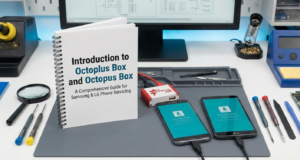
Introduction to Octoplus Box and Octopus Box
In the ever-evolving realm of mobile technology, having the right tools for phone servicing is crucial, which is where the Octoplus Box and Octopus Box come into play. These tools are indispensable for anyone venturing into phone unlocking and repair for Samsung and LG devices. They offer a comprehensive solution to unlock, repair, and service mobile phones, ensuring efficiency and professionalism in mobile repair tasks.
Specifically designed as a Samsung unlocking tool and LG unlocking software, the Octoplus Box provides a range of features that are essential for both beginners and seasoned professionals in mobile repair software. It supports an extensive list of devices, allowing users to perform operations like unlocking, flashing, and repairing phones effortlessly.
For those just starting, Octoplus Box for beginners offers user-friendly guides and simple interfaces to ease the setup process. As a pivotal phone unlocking tool, it stands out for its reliability and effectiveness. For professional/authorized servicing use, the Octoplus Box and Octopus Box have become integral tools in the toolkit of mobile technicians worldwide.
What is Octoplus Box: Key Features and Benefits
For those who are stepping into the realm of mobile phone unlocking and repair, understanding tools like the Octoplus Box is crucial. Primarily known as a Samsung unlocking tool and LG unlocking software, Octoplus Box is a comprehensive solution designed for professional mobile technicians. This tool supports unlocking, flashing, and repairing a variety of feature-rich smartphones.
Octoplus Box features an intuitive interface conducive to both advanced users and beginners. It offers compatibility with numerous LG and Samsung models, making it a versatile choice among mobile repair software solutions. This phone unlocking tool allows users to unlock network settings, repair IMEI numbers, and perform firmware updates efficiently.
- Wide Compatibility: Octoplus Box supports an extensive array of Samsung and LG devices, ensuring broad usability.
- User-Friendly Interface: Even for beginners, the Octoplus Box setup process is straightforward and accessible.
- Comprehensive Services: From unlocking to repairs, it provides a range of services that enhance the maintenance and functionality of mobile devices.
- Professional Use: Designed for professional and authorized servicing use, ensuring reliability and results.
For a deeper understanding of tools similar to Octoplus Box, visit our Ultimate Guide to Android Unlocking & Repair Tools. Additionally, you can find more about unlocking solutions in this GSM Server guide on Octoplus.
Understanding Octopus Box: Essential Features Explained
The Octopus Box is a powerful tool designed for professionals in the mobile phone servicing industry. As a reliable Samsung unlocking tool and LG unlocking software, it provides essential features that greatly simplify mobile repair tasks. For those new to tools like Octoplus Box for beginners, understanding its features can greatly enhance your efficiency in handling phone unlocking and servicing tasks.
The Octopus Box integrates an array of functionalities, making it a comprehensive mobile repair software. Some of the standout features include:
- Phone Unlocking: Perfect for Samsung phone unlocking and other brands, allowing seamless access to devices otherwise inaccessible.
- Software Flashes and Updates: Regular updates ensure compatibility with the latest mobile operating systems and devices.
- User-Friendly Interface: Simplifies the process for technicians, even those who are relatively new to the Octoplus Box setup.
- Comprehensive Support: Features robust support for a variety of phone models, enhancing its utility as an LG phone software.
For professional/authorized servicing use, the Octopus Box is invaluable in handling repairs effectively. To deepen your understanding of mobile servicing platforms, you might consider exploring this guide on Chimera Tool. For more in-depth information on using unlocking tools, GSM Server offers an extensive resource on the Octoplus and Octopus Box.
Octoplus Box vs. Octopus Box: Key Differences
When delving into phone unlocking tools, particularly for Samsung and LG, the terms Octoplus Box and Octopus Box often arise. Both are professional-grade tools designed for mobile repair and unlocking solutions, but there are distinct differences between the two that are crucial for any user, especially those exploring Octoplus Box for beginners.
The primary difference between the two lies in their supported features and scope of services. Octoplus Box encompasses a wider range of functions, including advanced Samsung phone unlocking and LG mobile repair software capabilities. It is a comprehensive solution often recommended for authorized servicing for those who need robust Samsung and LG unlocking software.
- Octoplus Box Features: It offers extensive functionalities for multiple brands beyond Samsung and LG, including advanced repair options and enhanced Octoplus Box setup capabilities.
- Octopus Box: While primarily a Samsung unlocking tool and LG unlocking software, it may not support as many additional services as Octoplus Box.
For further insight into unlocking and repair tools, refer to The Ultimate Guide to Android Unlocking & Repair Tools 2025.
For a detailed comparison and more information on mobile phone unlocking, GSMHosting offers a wide range of resources. Check their website for up-to-date information on professional servicing tools.
Getting Started with Octoplus Box for Samsung
Embarking on your journey with the Octoplus Box for Samsung can be an exciting venture for both novices and tech enthusiasts. Designed as a robust Samsung unlocking tool, this device is invaluable for anyone involved in mobile repair or service. To commence using this tool, the initial step is understanding its key functionalities and setting it up correctly.
The Octoplus Box setup is integral to ensuring your Samsung phone unlocking process is smooth and efficient. This versatile phone unlocking tool supports a wide range of Samsung models, allowing you to perform essential tasks such as flashing and unlocking with ease. For a detailed walkthrough on optimizing mobile repair software in general, you might find our Ultimate Guide to Android Unlocking & Repair Tools quite beneficial.
- Connect the device: Start by securely connecting your Octoplus Box to your computer via USB.
- Driver installation: Download and install necessary drivers for the smooth operation of your LG and Samsung unlocking software.
- Software configuration: Launch and configure the Octopus Box software according to the specific needs of your mobile repair tasks.
For comprehensive assistance, For professional or authorized servicing use, refer to reliable sources like GSM Hosting, a well-known community for mobile servicing tools.
Whether you are using the Octoplus Box for beginners or looking to delve deeper into its advanced features, being equipped with the right knowledge is essential. Remember to always stay informed on updates to ensure your Samsung unlocking tool provides optimal performance.
Learn more about how these kinds of tools are transforming the mobile repair landscape by checking out this authoritative source: GSM Hosting Forum – Mobile Servicing Tools.
How to Use Octopus Box for LG Devices
Octopus Box is a versatile tool designed for mobile technicians to perform various functions on LG devices. With Octopus Box, you can flash firmware, unlock, and repair LG phones with ease. If you’re new to using this LG unlocking software, you’ll find it quite intuitive once you get the hang of it.
To start using Octopus Box with an LG device, first ensure that you have all necessary cables and drivers installed. Connect the LG phone to your computer using a compatible USB cable, then launch the Octopus Box software. The interface is user-friendly and will guide you through selecting the specific model and operation you wish to perform. Whether it’s unlocking the phone or repairing software issues, Octopus Box offers a step-by-step approach for beginners.
Keep in mind that Octopus Box is intended for professional or authorized servicing use. It’s a valuable phone unlocking tool that complements your technical arsenal, alongside other tools like Octoplus Box. If you’re interested in a broader range of repair tools, check out The Ultimate Guide to Android Unlocking Repair Tools 2025 for more insights.
For more detailed guidelines, you can visit the comprehensive overview available on Octoplus Box Official Website. With practice, you’ll harness the powerful Octoplus Box features and become proficient in tackling various phone issues effectively.
Step-by-Step Guide to Installing Octoplus Box
Setting up your Octoplus Box for the first time can seem overwhelming, especially if you are new to the world of phone unlocking tools. This guide will provide you with a clear, step-by-step process to get you started with the Octoplus Box for beginners, ensuring that your Samsung and LG unlocking software is installed correctly.
- Unbox the Octoplus Box: Begin by carefully unboxing your Octoplus Box. Ensure that all components, including cables and installation drivers, are present.
- Install the Software: Insert the provided driver CD or download the latest software version from the official Octoplus website. Follow the onscreen instructions to complete the installation process. Ensure your computer is connected to the internet for updates.
- Connect the Box to PC: Use the included USB cable to connect your Octoplus Box to your computer. The system should automatically recognize the hardware; if not, confirm that the drivers are correctly installed.
- Setup the Software: Open the Octoplus software. You may need to configure some initial settings based on your device type, whether it is Samsung phone unlocking or LG phone software setup.
Once installed, explore the Octoplus Box features by navigating through its comprehensive user interface. To expand your knowledge of such essential tools, visit our Ultimate Guide to Android Unlocking & Repair Tools for in-depth information. Additionally, you can explore trusted resources such as GSM Server for more professional insights.
Setting Up Octopus Box for First-Time Users
Setting up the Octopus Box for the first time can seem daunting, especially for those new to mobile repair software. However, with the right guidance, it’s a fairly straightforward process. This Samsung unlocking tool is designed to assist professionals in unlocking and repairing Samsung and LG phones efficiently.
First, ensure all necessary components are present, including cables, installation CD, and the box itself. Connect your Octopus Box to your computer using the provided cables. The device drivers will automatically install, but always verify if any additional drivers are required.
- Install the software from the CD or download it from the Octoplus Box official website.
- Launch the software and create an account using your valid credentials.
- Register your device within the software to access all Octoplus Box features available for beginners.
- Always refer to the user manual for detailed instructions and troubleshooting tips.
Once setup is complete, you can explore Octopus Box’s full range of capabilities, including its Samsung phone unlocking and LG phone software functionalities. Remember, this tool is intended for professional use only. To learn more about various phone unlocking tools, you might find our Ultimate Guide to Android Unlocking & Repair Tools insightful.
For comprehensive details and safety advice when using these tools, the Octoplus official page offers extensive resources and support options.
Common Issues with Octoplus Box and How to Fix Them
Though the Octoplus Box is a powerful Samsung unlocking tool and LG unlocking software, users often encounter common issues during its use. Understanding these issues can help ensure a smoother operation for both beginners and seasoned technicians using this phone unlocking tool.
Connection Problems
Many users face trouble with establishing a stable connection between their device and the Octoplus Box. This often results from faulty cables or incorrect configuration.
- Solution: Always use quality USB cables and ensure that the device drivers are installed correctly. Checking the box connections and restarting the PC can also help in resolving this issue.
Software Not Detecting Device
This situation arises when the mobile repair software fails to recognize the connected device, hindering the unlocking or repair process.
- Solution: Update the Octoplus Box software to the latest version and ensure USB debugging is enabled on the device. Reconnecting the device and re-launching the software may also solve the problem.
To delve deeper into related software issues, you might want to explore our guide on The Ultimate Guide to Android Unlocking & Repair Tools 2025.
License and Activation Issues
Another frequent challenge is licensing or activation problems, which generally occur due to expired licenses or login issues.
- Solution: Verify that your licenses are current and check your account details on the official website. Renew the licenses if needed and ensure you are logged in with correct user credentials.
For authorized servicing use, remember to adhere to professional guidelines, as using professional tools like the Octoplus Box ensures effectiveness in handling these common issues. For more insights, check out Octoplus Box’s official site for the latest updates and troubleshooting guides.
Troubleshooting Tips for Octopus Box
When delving into mobile repair software like the Octopus Box, encountering issues is not uncommon, especially for beginners. To streamline your experience with this Samsung unlocking tool and LG unlocking software, here are some troubleshooting tips to consider.
-
Ensure Proper Installation
Always verify that the Octoplus Box setup is done correctly. This mobile repair software requires a few essential drivers and updates for optimal performance. Make sure your drivers are up-to-date, and follow the installation instructions meticulously.
-
Check for Software Updates
Keep your Octopus Box and related software updated. Frequent updates from the manufacturer often fix bugs and enhance functionality. Staying current can help resolve unexpected issues effectively.
-
Common Connection Issues
If you encounter connectivity problems when using this phone unlocking tool, ensure secure cable connections and use high-quality USB cables. This simple check can often solve most physical connection issues.
-
Consult Expert Resources
For professional or authorized servicing use, consulting expert resources can be invaluable. You can visit our Ultimate Guide to Android Unlocking & Repair Tools for more insights into troubleshooting common issues.
-
External Support
If you’re still facing challenges, consider forums and help from trusted external platforms like XDA Developers, where community and expert support can offer solutions tailored to Octoplus Box features.
Frequently Asked Questions About Octoplus and Octopus Box
What is the difference between Octoplus Box and Octopus Box?
While both the Octoplus Box and the Octopus Box are powerful tools used for Samsung and LG phone unlocking, they cater to slightly different needs. The Octoplus Box is generally favored by users who require comprehensive mobile repair software with a range of features for different phone models. It offers a broader spectrum of services such as flashing, unlocking, and servicing various brands beyond just Samsung and LG. On the other hand, the Octopus Box is tailored towards specific functionalities as an effective Samsung unlocking tool and LG unlocking software. It acts as a dedicated phone unlocking tool and mobile repair software for these brands. For professional and authorized servicing use, these tools provide a trustworthy approach to manage various mobile issues. For more insights into mobile servicing tools, you might find this guide helpful.
How do I set up the Octoplus Box for beginners?
Setting up the Octoplus Box for beginners can be straightforward if you follow the right steps. The initial setup involves connecting the device to your computer via USB and installing the necessary drivers that accompany the kit. Once connected, you can begin utilizing its interface for phone unlocking and repairs. The Octoplus Box features an intuitive user interface that simplifies tasks like Samsung phone unlocking and LG phone software servicing. As a beginner, you can find tutorials and guides on the provider’s official website or trusted forums. Make sure to rely on official sources to avoid unauthorized use. For comprehensive setup information, you may also find detailed manuals or videos online.

Where can I get support for my Octoplus or Octopus Box?
Support for the Octoplus and Octopus Boxes is readily available through various channels. Official websites often provide downloadable resources, manuals, and live support options. Experts frequently update online forums and communities dedicated to mobile repair software, offering advice and solutions for common issues. Additionally, video tutorials on official YouTube channels can provide a walkthrough of specific functionalities. Make sure to consult reputable sources to ensure your device remains functional and compliant with industry standards. For further reading on safe practices in using digital tools, you can explore expert articles like this one from Digital Trends.
What are the licensing terms for using these tools?
Both the Octoplus Box and Octopus Box require proper licensing, ensuring that the tools are employed legally and ethically. These solutions are designed for professional use, meaning users must adhere to licensing agreements that typically involve annual renewals or updates for continued access to software and features. This ensures that users remain compliant with software usage policies, maintaining the integrity of the tools while safeguarding user data. As a beginner, understanding these terms is crucial to avoid potential legal issues. Always refer to the official license documentation accompanying your product purchase.
Conclusion: Maximizing the Benefits of Octoplus and Octopus Box
Getting the most out of your Octoplus Box or Octopus Box requires an understanding of both tools’ immense potential in the realm of mobile repair and unlocking. These devices are indispensable for professional users seeking robust Samsung unlocking tools and LG unlocking software. With a comprehensive suite of functionalities, these tools offer unparalleled support for phone unlocking and mobile repair software solutions.
To maximize effectiveness, it’s essential to become familiar with the detailed Octoplus Box setup and utilize its advanced features to their fullest. Whether you’re a beginner exploring the Octoplus Box features or a seasoned technician, these tools serve as a reliable platform for unlocking the vast potential of Samsung and LG phones.
For those delving into the world of mobile servicing, aligning these tools with professional use ensures compliance with manufacturer guidelines, thereby avoiding any potential pitfalls. Additionally, keeping abreast of the latest updates and best practices through resources like GSM Server can further enhance the efficacy of these indispensable tools.
Through carefully leveraging the capabilities of these expert platforms, you can significantly streamline your mobile unlocking and repair tasks, gaining a competitive edge in the fast-paced world of mobile technology.