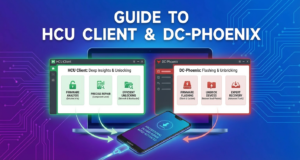
Introduction to HCU Client & DC-Phoenix: Essential Huawei Repair Solutions
In the ever-evolving landscape of smartphone repair tools, the HCU Client and DC-Phoenix stand out as critical assets for Huawei phone repair. These mobile repair software tools provide technicians with unparalleled capabilities in Huawei unlocking, phone software updates, and advanced troubleshooting. With the increasing complexity of Huawei’s Android devices, having reliable Android repair tools is indispensable for both independent technicians and professional repair centers.
The HCU Client is renowned for its ability to deliver deep insights into a device’s firmware, enabling precise repair and efficient unlock solutions. Meanwhile, DC-Phoenix offers robust support for flashing Huawei firmware and tackling potentially bricked devices, effectively bringing them back to life with expert precision. For professional use, these tools offer a comprehensive solution, navigating the intricate requirements of Huawei smartphones.
Whether you are a seasoned technician or just beginning, understanding these tools is vital for providing top-notch service and staying ahead in the competitive field of smartphone repair solutions. For more insights on repair tools and their significance, reference the Mobile Phone Repairing Tools Wikipedia page.
Understanding the Role of HCU Client in Huawei Device Management
The HCU Client is an indispensable tool in Huawei phone repair, offering expansive capabilities for device unlocking and firmware management. This mobile repair software is engineered specifically for Huawei devices, allowing technicians to perform complex operations like network unlocking, software restoration, and resolution of boot loop issues. By leveraging the HCU Client, users can effectively manage their Huawei smartphones, ensuring optimal performance and extended device lifespan.
HCU Client excels in facilitating Huawei unlocking by providing technical support tools that integrate seamlessly with Huawei firmware. This efficient solution is particularly vital for mobile technicians aiming to update and repair devices quickly and reliably. For professional/authorized servicing use, the tool’s comprehensive data reading and writing capabilities offer a robust platform for Huawei phone maintenance.
Integrating HCU Client with DC-Phoenix enables a more comprehensive approach to Android repair. As your go-to smartphone repair tools, both utilities significantly enhance your technical repertoire. To further assist in understanding and utilizing these tools, consider exploring our official Mediatek flashing guide to broaden your repair capabilities.
For more insights into Huawei repair tools and their real-world applications, visit GetDroidTips, a trusted source for technology enthusiasts and professionals alike.
What is DC-Phoenix and How Does it Complement HCU Client?
DC-Phoenix is a robust Huawei phone repair and flashing tool designed to work closely with HCU Client to provide a comprehensive solution for mobile repair needs. While HCU Client specializes in tasks like Huawei unlocking and IMEI repair, DC-Phoenix is particularly adept at managing firmware repairs and phone software updates. These tools, when used collaboratively, deliver a holistic approach to smartphone repair tools, ensuring devices are fully functional.
By utilizing DC-Phoenix’s capabilities alongside HCU Client, technicians can perform more intricate repairs, overcoming complex system failures and firmware corruptions. This synergy is especially beneficial for those looking to offer professional-grade technical support tools while dealing with challenging repair scenarios.
For those interested in expanding their toolkit, our comprehensive guide to powerful flashing tools provides essential knowledge for diverse mobile platforms. An important consideration is that both tools are designed for professional or authorized servicing use to maintain device integrity and customer trust.
For a broader perspective, explore [external authority link](https://www.xda-developers.com/huawei-dc-phoenix-hcu-client-repair-tools) on the effectiveness of these repair solutions in Huawei devices.
Key Features of HCU Client: A Comprehensive Overview
The HCU Client is a powerful mobile repair software crafted for Huawei phone repair tasks, reflecting versatility and efficiency. Primarily an unlock tool, it provides an extensive array of functionalities tailored for professionals engaged in Huawei unlocking and related services. Combining several advanced features, it ensures profound insights and seamless operations on Huawei devices.
Below are the key features that make HCU Client a leading choice for technical support tools:
- Comprehensive Phone Unlocking: Delivers extensive options for Huawei unlocking, facilitating users to bypass locked screens and network restrictions.
- Firmware Update and Flashing: Allows easy application of Huawei firmware updates and flashing to rectify software anomalies and enhance device performance.
- IMEI Repair: Enables secure modification and repair of IMEI numbers to restore device identity and connectivity.
- Error Diagnosis: Integrates crucial diagnostic tools for quick detection and resolution of smartphone errors, making it a key player among android repair tools.
- User-Friendly Interface: Features an intuitive interface ensuring that even complex tasks like phone software updates become straightforward.
For those diving deeper into mobile repair software, understanding the synergy between tools is crucial. Explore our guide on ADB Fastboot: Essential Tools for Android Modding to broaden your repair toolkit capabilities.
For professional servicing use only, this tool is not for unauthorized modifications. For more in-depth resources, check out this official HCU Client documentation.
Exploring DC-Phoenix: The Ultimate Emergency Repair Tool
DC-Phoenix stands out as a versatile and indispensable tool in the realm of Huawei phone repair. This mobile repair software offers a comprehensive suite of functionalities that makes Huawei firmware updates and installations seem effortless. Whether dealing with software crashes, boot issues, or failed updates, DC-Phoenix emerges as a real lifesaver for professionals.
One of the standout features of DC-Phoenix is its ability to repair a wide array of technical issues promptly, making it one of the most reliable smartphone repair tools available. For professional or authorized servicing use, DC-Phoenix provides effective solutions tailored for intricate Huawei unlocking processes. Its powerful interface ensures seamless execution of tasks, from basic phone software updates to advanced repair operations.
Based on its functionality, it’s easy to see why many experts regard it as the ultimate tool in android repair tools arsenal. To explore other professional repair solutions, check out our comprehensive guide to UMT Dongle. For additional insights into using repair tools effectively, refer to resources such as Android Authority’s Huawei repair guide.
HCU Client & DC-Phoenix Compatibility: Which Devices Are Supported?
When it comes to using the HCU Client and DC-Phoenix tools for Huawei phone repair, one of the most crucial aspects is ensuring that your device is compatible. These advanced smartphone repair tools are designed to cater to a wide range of Huawei smartphones, ensuring that users can unlock, repair, and update their devices with ease.
The HCU Client is primarily used for functions such as Huawei unlocking and account repairs, and it supports a vast array of Huawei models. On the other hand, DC-Phoenix is focused on more technical operations like firmware flashing and phone software updates, making it an excellent choice among android repair tools.
For a comprehensive list of compatible devices, it’s recommended to visit the official website where detailed compatibility guides are available. Additionally, we have explored several such technical support tools and repairs in our Pandora Tool Guide.
For authorized servicing professionals, both HCU Client and DC-Phoenix offer robust solutions that cater to the intricate needs of mobile repair software, proving essential for effective and efficient Huawei device management.
Step-by-Step Guide: Installing HCU Client and DC-Phoenix
Installing HCU Client and DC-Phoenix, two indispensable Huawei repair tools, is pivotal for effective smartphone repair. Whether you are using these mobile repair software tools for Huawei unlocking or phone software updates, this guide ensures you get started smoothly. Remember, these android repair tools are recommended for professional and authorized servicing use.
Step 1: Download the Software
Begin by downloading both HCU Client and DC-Phoenix from their official websites. Ensure you have a reliable internet connection for an uninterrupted download experience. These tools are a part of the ultimate Android repair tools suite, offering comprehensive solutions for Huawei firmware management.
Step 2: Install HCU Client
- Locate the downloaded HCU Client setup file and run it.
- Follow the on-screen instructions, opting for default settings unless necessary.
- Post-installation, launch the application to verify a successful setup.
Step 3: Install DC-Phoenix
- Run the installer for DC-Phoenix after downloading.
- Carefully follow the installation prompts, choosing your desired components.
- Once installed, open DC-Phoenix to ensure it functions correctly.
For more comprehensive smartphone repair tools, you may explore this guide on UMT Dongle. Additionally, you can find technical support tools through resources like Android Authority which offers insights into mobile repair software solutions.
How to Use HCU Client for Huawei Device Unlocking
Unlocking your Huawei device can be a complex task, but with the HCU Client, it becomes significantly more manageable. The HCU Client is a powerful mobile repair software tailored specifically for Huawei unlocking. Below, you will find a step-by-step guide to using this tool effectively.
- Install HCU Client: Download the latest version of the HCU Client from the official website and install it on your computer. Ensure your device’s drivers are correctly installed to establish a seamless connection.
- Connect Your Huawei Device: Use a compatible USB cable to connect your device to the computer. Make sure the device is in ‘Manufacturer Mode’ to allow the HCU Client to communicate effectively.
- Launch HCU Client: Open the HCU Client and log in with your authorized user credentials. This tool is intended for professional servicing and should be used responsibly.
- Select Device Model: Within the client, select the correct model of your Huawei device. Keep in mind that having accurate information is crucial for successful operations.
- Unlock the Device: Navigate to the unlock section and follow the on-screen instructions to proceed with the Huawei unlocking process. The software will handle the technical details, ensuring a smooth experience.
For an in-depth understanding of smartphone repair tools beyond the HCU Client, check out our Ultimate Guide to Android Unlocking & Repair Tools 2025. For further technical assistance, you can also visit HCU Client Official Site for more resources and support.
DC-Phoenix for Bootloader Repair: A Detailed Walkthrough
DC-Phoenix stands out as a vital component in the realm of Huawei phone repair, particularly for resolving bootloader issues. As an essential tool among smartphone repair tools, it grants expert users the capability to perform Huawei unlocking, thus offering a versatile approach to mobile repair software. When addressing a bootloader problem, the importance of correct handling cannot be overstated.
This detailed walkthrough provides insight into using DC-Phoenix effectively. To begin, ensure that your device drivers are properly installed, as this step is crucial for interaction with Huawei firmware. Utilize the HCU Client in tandem with DC-Phoenix for a comprehensive repair experience—these android repair tools are synergistic in restoring your device’s functionality. Moreover, having an updated phone software update is vital.
For more advanced processes, correct firmware selection aligned with your device model is indispensable. While DC-Phoenix is designed for professional use, it certainly brings efficiency to phone bootloader repairs when applied correctly. To explore different tools like the Pandora Tool, check out more guides on Huawei repair.
For further technical support tools or additional guidance, explore resources like the Digital Trends Smartphone Repair Kits guide, offering a comprehensive overview of smartphone repair tools.
Best Practices for Using HCU Client & DC-Phoenix Together
When aiming to maximize the efficiency of Huawei phone repair, integrating the HCU Client with DC-Phoenix can be incredibly beneficial. These tools are often heralded as the ultimate smartphone repair tools, particularly for professionals dealing with complex Huawei unlocking and firmware issues. To ensure optimal results, follow these best practices:
- Regular Updates: Always ensure that both HCU Client and DC-Phoenix are updated to their latest versions. Consistent updates integrate the latest technical support tools and security patches, enabling smoother operations.
- Authorized Use: For professional or authorized servicing use, it’s essential to ensure that your licenses for both tools are valid. This promotes ethical practice and guarantees access to all features.
- Data Backup: Before proceeding with any repairs or Huawei firmware updates, always back up the device’s data. This step prevents loss of crucial information during smartphone repair processes.
- Compatibility Check: Ensure that the tools are compatible with the specific model and firmware version you are working with. Compatibility is crucial in avoiding any potential technical issues.
For those interested in exploring additional repair solutions, you might find our article on SP Flash Tool for MediaTek devices beneficial. Moreover, websites like Huawei Developers provide extensive resources that can enhance your understanding and application of these tools.
Troubleshooting Common Issues with HCU Client and DC-Phoenix
As essential tools for Huawei phone repair, both HCU Client and DC-Phoenix offer robust solutions for smartphone diagnostics and unlocking. However, like any advanced mobile repair software, users may encounter some common issues. This section addresses familiar challenges and offers practical solutions to ensure your repair tasks go smoothly.
Connectivity Problems
If you face connectivity issues with the HCU Client or DC-Phoenix, ensure that your Huawei device is properly connected via a compatible USB cable. Check the cable for any physical damage and try using a different USB port on your PC. Also, ensure that the latest drivers are installed. For detailed steps on handling driver installations, explore our ADB and Fastboot guide.
Software Compatibility Issues
Ensure that your system meets the software requirements for HCU Client and DC-Phoenix. Both tools require specific versions of Windows and may not function correctly on outdated operating systems. Always keep your software updated to the latest version available. Regular updates help to patch bugs and enhance performance, crucial for seamless Huawei firmware updates.
Authentication Failures
Both HCU Client and DC-Phoenix require authorization for full functionality. Ensure you are using legitimate and up-to-date credentials. For comprehensive technical support tools, you can refer to external resources such as hardreset.info, a reliable site for detailed guides on mobile repair.
For professional/authorized servicing use, understanding these troubleshooting techniques can significantly enhance your technical proficiency. By fine-tuning these aspects, you can effectively use android repair tools to their full potential, driving improved results in Huawei unlocking and maintenance tasks.
Frequently Asked Questions About HCU Client & DC-Phoenix
What is the HCU Client and how does it assist in Huawei phone repair?
The HCU Client is a robust tool specifically designed for Huawei phone repair, focusing on tasks like Huawei unlocking and firmware updates. This mobile repair software is crucial for technicians looking to perform advanced repairs and diagnostic tasks. Users often leverage the capabilities of the HCU Client to unlock network restrictions, retrieve calibration data, and read firmware data. For professional or authorized servicing use, this tool ensures that technicians can achieve optimal device performance without compromising safety standards. If you are interested in exploring other smartphone repair tools, you might find our article on Z3X Box quite enlightening.
How does DC-Phoenix complement the HCU Client in repair scenarios?
DC-Phoenix works hand-in-hand with the HCU Client, offering a complete suite of android repair tools for handling more complex Huawei phone issues. Known for its proficiency in firmware flashing and problem-solving, it is particularly useful when dealing with bricked phones. This tool enables technicians to efficiently handle phone software updates and troubleshoot hardware issues, solidifying its position as an essential component of technical support tools for businesses and repair shops. Similar resources can be discovered by checking external sources such as GSM Server’s repair tools which provide a plethora of options for mobile device repair.
Is technical expertise required to use these Huawei repair tools?
Yes, using sophisticated tools like HCU Client and DC-Phoenix does require technical know-how. These are not typical consumer-facing applications and are intended for professional or authorized servicing use. Understanding Huawei firmware intricacies and performing smartphone repairs necessitates a firm grasp of the devices’ software and hardware dynamics. However, those looking to expand their technical capabilities could start by exploring guides on mobile repair software, such as our piece on TFM Tool Pro, which is designed for MTK and Qualcomm solutions, to ease into this sophisticated repair environment.