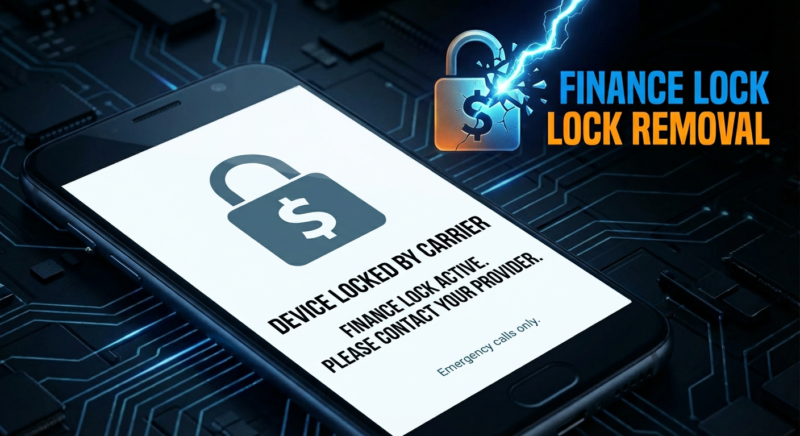
Understanding Finance Lock and Its Impact on Android Devices
Finance lock, also known as the MDM (Mobile Device Management) or KG (KnoxGuard) lock, is a security feature prevalent in Android devices, particularly those distributed by corporates and financiers. This lock serves to restrict device usage, ensuring that the phone remains compliant with specific organizational or financial agreements. Although a critical security measure, it can pose challenges for users who desire greater freedom over their device settings and functionalities.
The implications of MDM or KG lock include restrictions on app installations, limitations on usage settings, and in some cases, the inability to perform a factory reset. For users facing such restrictions, understanding how to perform finance lock removal is crucial. The process can involve using specialized tools or services designed for unlocking devices efficiently.
For those interested in leveraging professional solutions, services like MDMfix Tool provide effective means to remove corporate locks, allowing users to regain complete control over their devices. Additionally, you can explore guides like Samsung’s official resources for a detailed understanding of device management unlock methods.
What is MDM/KG Lock and Why Does It Matter?
MDM (Mobile Device Management) and KG (Knox Guard) locks are security features embedded in Android devices, primarily targeting enterprise usage. These locks play a critical role in protecting sensitive corporate data by ensuring only authorized users can access the device and its content. MDM locks are particularly prevalent in business environments where company policies require strict adherence to data management and security standards.
The importance of understanding MDM/KG Lock stems from the need to manage or remove these restrictions effectively, especially when a device needs to switch ownership or is being resold. These locks prevent unauthorized access, making device management unlock crucial for smooth operations.
When it comes to bypassing MDM locks or aiming for an android MDM bypass, users must proceed with caution. The process typically involves specialized tools and expertise to ensure that bypassing does not compromise device functionality or security. For professional/authorized servicing use, always consult expert resources to perform a safe and efficient finance lock removal.

Identifying If Your Android Device Has a Finance Lock
Before you proceed with finance lock removal from your Android device, it’s crucial to identify whether a finance lock (also known as an MDM lock or KG lock) is indeed restricting your phone. A finance lock is typically applied by service providers or corporate IT departments to manage usage, ensuring devices conform to organizational policies or payment agreements.
To determine if your device is affected, check for the following signs:
- Boot-Up Messages: On restarting, your device might display a notice indicating it is managed by an organization. This often means a corporate lock or MDM restrictions are applied.
- Limited Access: If certain settings are unavailable or there’s restricted functionality like app installations or USB connections, a device management unlock might be necessary.
- Contact Provider Message: A prompt to contact your service provider upon inserting a SIM card can indicate a finance lock, requiring a finance lock bypass.
If you’ve identified a finance lock, consider professional methods such as using specialized tools. Explore our detailed guide on MDMfix Tool for removing mobile device management locks. Additionally, for further information on financial and device management locks, MakeUseOf offers insightful resources.

Essential Precautions Before Removing a Finance Lock
Before embarking on the finance lock removal process for your Android device, it is crucial to take several essential precautions to ensure the procedure is smooth and secure. Disabling the MDM on Android devices can lead to complications if proper steps are not followed.
- Backup Your Data: Always back up personal and professional data before proceeding with any device management unlocks. This step will safeguard your data in case of unexpected data loss during the android security unlock process.
- Understand MDM Restrictions: Get informed about the specific MDM restrictions placed on your device. This will help tailor the method used for MDM lock removal and ensure that you choose the correct bypass procedure.
- Validate Device Warranty: Check your device warranty. Some manufacturers place specific restrictions on warranty coverage if unauthorized modifications are detected.
- Use Authorized Tools: For professional or authorized servicing, always utilize authentic tools for unlocking the device. Learn more about such tools in our detailed guide: MDMfix Tool — Remove Mobile Device Management Locks.
By following these steps, you enhance the chances of successfully bypassing the MDM lock or unlocking the KG lock on your device without any adverse effects. For further insights, consider reading external resources like this comprehensive guide on bypassing MDM locks from an authority on the subject.
Exploring Legal Aspects of Removing MDM/KG Lock
Removing a Finance Lock (MDM/KG Lock) from an Android device involves several legal considerations, often overseen by specific laws and regulations. This is primarily because such locks are integrated into devices by corporations for security reasons, safeguarding sensitive data and ensuring authorized usage. It’s crucial to acknowledge that bypassing these security measures without proper authorization might contravene legal and ethical standards.
When aiming to unlock KG lock or disable MDM on Android devices, it’s imperative to comply with the policies set by the device’s owner, which might be a corporation or a financial institution. Engaging in finance lock removal without their consent can result in serious legal consequences, including potential prosecution or fines. Therefore, always seek permission or ensure your actions are within legal boundaries before proceeding with any Android MDM bypass.
For professionals exploring authorized solutions to remove MDM restrictions, tools such as the MDMFix Tool are available for legal and ethical use. Ensuring compliance not only protects you legally but maintains industry integrity. For a thorough comprehension of MDM security and unlocking, external resources such as TechRadar provide valuable insights into device management unlock practices.
Tools and Software Required for Unlocking Finance Lock
Unlocking a finance lock, such as MDM or KG lock, on an Android device requires the use of specialized tools. These tools ensure the bypassing of mobile device management restrictions in a professional manner. Here’s a breakdown of what’s necessary for finance lock removal.
- MDMFix Tool: This tool is specifically designed to remove mobile device management locks efficiently. For an in-depth guide, visit our comprehensive tutorial.
- Infinity-Box CM2: Known as a top solution for various device issues, this tool provides an android security unlock for numerous Chinese phone brands. It is highly recommended for professionals.
- Octoplus Box: This is another essential tool for device management unlock, ideal for those servicing Samsung and LG devices. It helps to bypass MDM lock and unlock KG lock effectively.
Each of these tools requires professional authorization and should be used responsibly to bypass MDM lock and remove corporate lock restrictions. Utilizing these tools improperly can lead to complications.
For more about Android security and MDM restrictions, you might find Google’s Android Enterprise Support page valuable.
Step-by-Step Guide: Removing Finance Lock from Android
The Finance Lock, known commonly as MDM/KG Lock, is a security feature used by organizations to manage their Android devices remotely. There are times when device security unlock is essential, such as when switching to a different service provider or resolving a corporate lock issue. Here’s a comprehensive guide on finance lock removal from your Android device.
- Step 1: Access Developer OptionsFirst, you need to enable Developer Options. Navigate to Settings > About Phone and tap Build Number seven times to unlock Developer Options. This feature allows you to modify system settings and unlock KG lock.
- Step 2: USB Debugging and OEM UnlockIn Developer Options, enable USB Debugging and OEM Unlock. These features are crucial for executing an Android MDM bypass procedure.
For more advanced users, manual finance lock bypass may involve specialized tools. Refer to our guide on MDMFIX Tool for detailed steps and authorized servicing use. Alternatively, services like Android Authority’s MDM lock removal guide offer further insights.
The process to disable MDM on Android devices not only allows the freedom to remove MDM restrictions but also ensures device management unlock is executed safely. Remember, incorrect tampering may risk your device security.
Common Mistakes to Avoid When Unlocking Android Devices
Unlocking Android devices, especially when attempting a finance lock removal or to bypass MDM lock, can be fraught with pitfalls if you’re not careful. Here are some common mistakes to be aware of and avoid during the process.
- Ignoring Compatibility Checks: Before starting the unlock KG lock or any finance lock bypass, ensure your solution is compatible with your specific device and Android version. Neglecting this can lead to software errors or even bricking the device.
- Not Backing Up Data: It’s crucial to back up all important data before initiating any android security unlock. This step is often overlooked but can help prevent the loss of valuable information.
- Bypassing Security Steps: Many opt to disable security features such as remove MDM restrictions without understanding the associated risks. Always view guides like our Ultimate Guide to Factory Reset Protection before proceeding.
- Using Unauthorized Tools: Ensure that any tools used for android MDM bypass are professionally vetted. Unauthorized tools may cause more harm than good, compromising device integrity.
For professional or authorized servicing use, always rely on trusted software and technical expertise. For more guidance, visit helpful resources like Lifewire’s MDM Lock Bypass Guide.
Understanding the Differences Between Factory Reset and Unlocking
When dealing with Android devices, understanding the difference between a factory reset and unlocking is crucial, especially in the context of finance lock removal. A factory reset, also known as a hard reset, erases all data and settings from the device, returning it to its original factory state. This can be useful for clearing personal data but often does not remove the finance lock or MDM restrictions, as these locks are typically set on a more secure level of the device’s firmware.
In contrast, unlocking, particularly when referring to bypassing MDM lock or unlocking KG lock, involves removing restrictions imposed by organizations or network providers. This requires specialized knowledge and tools to execute safely and effectively. Unlocking ensures that terms like “android security unlock” or “device management unlock” are achieved without altering personal data unless necessary.
For a comprehensive guide on how to perform such tasks, you might consider specialized tools. Our MDMFIX Tool page offers valuable insights into how these processes can be managed with professional servicing tools.
For further understanding of the differences between these concepts, visit Android Authority for expert opinions and recommendations.
Troubleshooting Issues During the Finance Lock Removal Process
Removing a finance lock from your Android device can sometimes lead to unexpected complications. Understanding these common hurdles can help you achieve a smoother finance lock removal process. Below are some troubleshooting steps to consider.
- Stuck on Activation Screen: If your device is stuck on the activation screen even after bypass MDM lock attempts, ensure that the right credentials are used. Sometimes, performing another attempt from a different network might help.
- Failed Connection to Server: An interrupted internet connection can halt the unlock KG lock process. Verify that your Wi-Fi or mobile data is stable.
- Device Not Recognized by Software: If the tool does not recognize your device, double-check USB drivers and make sure the device management unlock software is up-to-date. For professional servicing, tools like MDMfix Tool offer reliable solutions.
- Persistent Restrictions: If removing MDM restrictions does not work, consider restarting the process ensuring every step is properly followed. Resetting the device might also resolve the issue.
For more insights on tackling these challenges effectively, consider authoritative resources like Generic Android MDM Profiles. Remember, opting for professional tools ensures safer and more reliable android security unlock outcomes.
Alternatives to Removing Finance Lock on Android Devices
While the process of removing a finance lock or bypassing MDM lock from Android devices may seem daunting, there are several alternative approaches worth considering before opting for complete finance lock removal. These can be particularly useful for individuals or enterprises looking to manage their corporate devices effectively.
- Contact Your Service Provider: If your device is under a finance lock agreement, reaching out to your service provider for a legitimate unlock request should be your first step. They can guide users through the proper channels to disable MDM on Android devices or provide a finance lock bypass.
- Authorized Unlocking Services: Consider using professional unlocking services or tools designed for corporate clients, ensuring the unlock does not violate any terms. Ensure you are using authorized tools like MDMfix Tool for safe device management unlock.
- Firmware Reset and Update: In certain cases, performing a firmware reset or updating your device’s operating system might help to unlock KG lock or remove MDM restrictions. However, proceed with caution and ensure backups are made.
For more advanced users, exploring online forums or guides like The Android Soul can provide community-backed insights into the Android MDM bypass processes. Remember, undertaking these actions should be carefully considered and, if needed, performed under professional supervision.
Safeguarding Your Android Device After Unlocking
Once you’ve successfully completed the finance lock removal on your Android device, it’s crucial to ensure its security remains uncompromised. While bypassing the MDM lock or working through an android MDM bypass, you may have adjusted core security settings. Thus, a follow-up reinforcement of your Android security unlock measures is essential.
- Re-enable Security Features: Begin by enabling device protection features like screen locks, biometrics, or two-factor authentication. This step is fundamental in safeguarding your device post unlock KG lock or remove MDM restrictions.
- Regular Security Updates: Manually check for the latest software updates which often include critical security patches. Regular updates can prevent vulnerabilities that may have been exposed during the finance lock bypass process.
- Utilize Trusted Security Apps: Consider authorized tools that provide additional layers of protection. Avoid unauthorized downloads that could compromise your security. Refer to tools like NatrixSoftTool for professional/authorized servicing use.
- Backup Your Data: Regular backups ensure that your data remains intact even if you encounter issues while disabling MDM on Android.
For a deeper understanding of Android unlock and maintenance strategies, explore guides such as the Ultimate Guide to Android Unlocking & Repair Tools 2025. For more security insights, you might find Android’s Security Center a valuable resource.