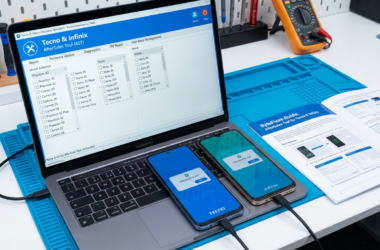
Understanding Mobile Device Management (MDM) Locks
Mobile Device Management (MDM) locks are security features implemented by organizations to manage and control devices remotely. These locks are primarily designed to ensure that corporate data and applications remain secure on both iOS and Android devices. While they are beneficial for enterprises, they can pose a challenge if you need to remove MDM locks for personal usage or if you’re transferring device ownership.
Using a reliable MDM unlock tool becomes essential to bypass these restrictions safely. The MDMfix software is one such solution that provides an effective way to remove mobile device management locks. Whether you are looking to perform an iPhone MDM bypass or need an Android device management tool, the MDMfix tool offers a professional and authorized servicing option for seamless MDM configuration removal.
For more insights and detailed guides on handling different mobile software tools, you can explore our comprehensive resources on various solutions like Chimera Tool.
For those interested in understanding more about mobile security and management practices, visiting platforms like Varonis can provide a lot of valuable information.
What is MDMfix Tool and How Does it Work?
The MDMfix Tool is a specialized software solution designed to facilitate mobile device management removal. This tool is particularly useful for businesses and individuals who need to remove MDM locks from their devices to regain full control over their hardware. The MDMfix Tool stands out as an efficient MDM unlock tool, allowing users to bypass various restrictions imposed by MDM configurations.
Functioning as a comprehensive device management bypass solution, the MDMfix Tool supports both iPhone MDM bypass and Android device management tool functionalities, making it versatile for multi-platform use. By utilizing advanced algorithms, it ensures the secure and authorized removal of MDM profiles without compromising the security of the device or data therein. For those interested in diving deeper into professional servicing tools, check out our guide on HCU Client DC-Phoenix.
For professional or authorized servicing use, the MDMfix Tool requires a straightforward connection to the device via a computer, executing the MDM configuration removal process swiftly. For a comprehensive guide on using such tools, you might want to explore this external resource on mobile device management solutions.

Benefits of Using MDMfix Tool for Bypassing MDM Locks
MDMfix Tool is a reliable MDM unlock tool that offers numerous advantages when it comes to bypassing MDM locks. Its ability to effectively handle mobile device management removal makes it a preferred choice for many users. Here’s why you should consider using this tool:
- Efficient MDM Lock Removal: The MDMfix software provides a streamlined process to remove MDM locks, allowing users to regain control over their devices without complicated steps.
- Cross-Platform Support: Whether you’re dealing with an iPhone MDM bypass or using an Android device management tool, MDMfix Tool supports multiple operating systems, making it versatile and convenient.
- User-Friendly Interface: Designed with an intuitive interface, even those new to device management bypass will find the tool easy to navigate.
- Professional Applications: Ideal for professional or authorized servicing use, ensuring that your device configurations are handled safely and securely.
- Time-Saving Solution: The tool efficiently conducts MDM configuration removal, saving valuable time for both personal and corporate users.
Explore more about mobile device servicing by visiting our UnlockTool Guide. For additional insights into the importance of secure removal practices, check this comprehensive guide.
Step-by-Step Guide: Removing MDM Locks with MDMfix Tool
Using the MDMfix Tool to remove MDM locks is an efficient way of bypassing mobile device management restrictions on iPhones and Android devices. Below is a detailed step-by-step guide to help you smoothly navigate this process. Make sure you have the MDMfix software ready, as this article is for professional or authorized servicing use. Let’s dive in!
Step 1: Prepare Your Device
Start by fully charging your mobile device and ensuring your data is backed up. This preparation is crucial to avoid any loss during the device management bypass process.
Step 2: Install the MDMfix Tool
Download and install the MDMfix tool on your computer following the provided instructions. This powerful MDM unlock tool is compatible with both iOS and Android platforms, providing a straightforward mobile device management removal.
- Useful tool for various devices
- Apple Support for MDM concerns.
Step 3: Connect and Start the Process
Connect your mobile device to the computer using a reliable USB cable. Launch the MDMfix tool, and select the appropriate “bypass MDM locks” option. Carefully follow the on-screen instructions to proceed with the MDM configuration removal.
Step 4: Finalize the MDM Unlocking
Once the process is complete, your device will reboot. Check to ensure the mobile device management features have been successfully bypassed. Test the device to confirm functionality.
For further reading on managing mobile device tools professionally, explore the Ultimate Guide to Android Unlocking & Repair Tools 2025.
Compatibility: Devices Supported by MDMfix Tool
When it comes to removing MDM locks, the MDMfix Tool stands out for its versatility and broad support for various devices. This MDM unlock tool is specifically designed to perform seamless mobile device management removal across multiple platforms, making it an essential utility for professionals in the field. Let’s explore the range of devices supported by the MDMfix software.
- iOS Devices: The tool is highly effective for iPhone MDM bypass, compatible with most iOS devices including the latest iPhone models. It’s a preferred choice for those looking to perform MDM configuration removal safely.
- Android Devices: The MDMfix Tool is also engineered as an Android device management tool, supporting a wide array of Android devices. It ensures an efficient device management bypass, accommodating various brands and OS versions.
For professionals in mobile servicing, it’s crucial to have the right tools. You might find our articles on Android screen unlocking solutions insightful if you deal with a myriad of Android work devices.
To better understand the significance of MDM removal solutions, you might refer to an in-depth guide available on Medium. This resource provides a comprehensive look at mobile device management and the benefits of utilizing tools like MDMfix Tool for authorized servicing.
Preparing Your Device for MDM Removal
Before embarking on the journey of using the MDMfix tool to remove MDM locks from your device, it’s essential to prepare your device adequately. Proper preparation ensures a smooth mobile device management removal process and minimizes unexpected interruptions.
First, ensure that your device is fully charged or connected to a power source to prevent any power outages during the procedure. Next, back up all important data, as the MDM configuration removal may result in the loss of certain configurations or data. It’s always best to be safe and ensure you have copies of your valuable information.
- Check Device Connectivity: Make sure your device has a stable internet connection for any necessary downloads or online verifications during the process.
- Disable Device Restrictions: Turn off any screen locks, passwords, or face recognition features to facilitate seamless access during the device management bypass.
- Verify Software Requirements: Confirm that your device’s operating system is compatible with the MDMfix software to avoid functionality issues.
For additional insights into mobile device management tools, explore our related guide on Octoplus Box for Samsung & LG devices. This knowledge could provide useful contexts when dealing with MDM unlock tools.
To further understand the technology behind Mobile Device Management solutions, you can refer to scholarly articles or trusted industry sources like Gartner’s Mobile Device Management Overview.
How to Download and Install MDMfix Tool
The MDMfix tool is an essential utility for anyone looking to remove Mobile Device Management locks from their devices. Whether you’re dealing with iPhone MDM bypass or Android device management, MDMfix offers a reliable solution. Before proceeding, ensure your device is compatible with professional and authorized servicing use.
To start, visit the official page of the MDMfix software at bytefixes.com. Navigate to the download section, where you can find the latest version of this MDM unlock tool. It’s crucial to download software only from reputable sources to avoid potential security risks.

Step-by-Step Installation Guide
- Step 1: After downloading, locate the installer file on your device.
- Step 2: Double-click the file to initiate the installation process. Follow the prompts to complete setup.
- Step 3: Once installed, launch MDMfix from your applications menu.
- Step 4: Connect your device to your computer using a USB cable to begin the mobile device management removal process.
If you are new to using tools like this, you might want to understand other similar services. Consider checking out The Ultimate Guide to Android Unlocking & Repair Tools 2025 for more insights.
For further technical insights and professional instructions on Mobile Device Management configuration removal, you can explore comprehensive guides on Apple’s MDM solutions, offering extensive resources and support.
Troubleshooting Common Issues with MDMfix Tool
The MDMfix tool is a reliable solution for mobile device management removal, but like any software, you might encounter some issues while trying to remove MDM locks. Here’s a guide to help you troubleshoot common problems when using this MDM unlock tool effectively.
First, ensure that the MDMfix software is updated to the latest version. Outdated versions can cause compatibility issues, especially with newer devices. Visit the official site to check for updates regularly.
- Device Connectivity: Double-check the connection between your device and the computer. Use original or high-quality USB cables, and ensure that the connection ports are functioning properly.
- Software Compatibility: Ensure that MDMfix tool is compatible with your device’s OS. Whether you’re attempting an iPhone MDM bypass or using an Android device management tool, verify compatibility from the software documentation.
- Firewall/Antivirus Interference: Sometimes firewalls or antivirus software can block the MDMfix tool. Temporarily disable these security features while troubleshooting, but ensure you re-enable them afterward to maintain security.
- Technical Assistance: For persistent issues, seek professional assistance. Authorized technicians can offer insights that might not be available in user forums.
If you are looking to further enhance your technical skills, consider exploring tools like ADB and Fastboot, which are essential for Android modding and can complement your MDMfix troubleshooting efforts. For more in-depth technical guides, the Bytefixes website offers a plethora of resources.
For an authoritative source on MDM solution, check out CNET’s guide on mobile management tools: Best Mobile Device Management Solutions.
Tips for Successful MDM Lock Removal
Unlocking your device using the MDMfix tool can be efficient if approached correctly. Here are some valuable tips to ensure a successful mobile device management removal process.
- Ensure Compatibility: Before using the MDMfix tool, confirm that your device is compatible with the software. Compatibility is crucial for both Android and iPhone MDM bypass efforts.
- Backup Your Data: Always create a backup of your device data. Even though the process should not affect your files, unexpected errors can occur during MDM configuration removal.
- Follow Instructions Carefully: Each step in the MDMfix software process is critical. Pay attention to all instructions for bypassing MDM locks efficiently. Consider consulting the NatrixSoftTool guide for more insights on device management bypass.
- Use Authorized Software: Only use tools from authorized sources to avoid compromising your device’s security. Professional servicing use of verified software ensures reliability.
- Stay Updated: Technology evolves rapidly. Regularly updating your MDM solution software ensures you’re equipped to handle the latest device management obstacles.
For more detailed guidance, you might find it beneficial to consult external resources such as this comprehensive MDM lock removal guide. It can offer a broad perspective on various MDM unlock tool strategies for different devices.
Ensuring Data Safety During MDM Bypass
Ensuring data safety when attempting a device management bypass is crucial. Using the MDMfix Tool to remove MDM locks on devices can offer a streamlined process, but safeguarding your data remains paramount. Here are some key practices to consider:
- Backup Data: Before initiating any mobile device management removal, ensure all your data is securely backed up. This includes personal information, settings, and files.
- Authorized Use: It’s recommended to use the MDMfix software for professional and authorized servicing. This minimizes the risk of data breaches and ensures the process remains secure.
- Updated Software: Make sure that both your device’s operating system and the MDM unlock tool are updated. Software updates often contain security patches critical for data protection.
- Device Security: Keep your device protected with strong passwords and biometric locks to prevent unauthorized access during the bypass process.
A careful and informed approach is vital when dealing with iPhone MDM bypass or Android device management tools. For more insights on handling electronic device configurations safely, check out our comprehensive guides on device management and repairs. Additionally, consult reputable resources like the ZDNet guide to mitigate risks effectively during these procedures.
Alternatives to MDMfix Tool for MDM Removal
While the MDMfix Tool is a popular choice for removing Mobile Device Management locks, there are several alternatives available for those seeking different MDM solutions. These tools can be crucial for anyone looking to bypass MDM locks on various devices, ranging from iPhone to Android.
One notable alternative is the UnlockGo tool, specifically designed for bypassing device management locks and configurations. This tool is highly recommended for its efficiency with both iOS and Android devices.
- iActivate: Specializes in iPhone MDM bypass and is a reliable choice for simplifying the mobile device management removal process.
- Tenorshare 4uKey: Offers robust features for MDM configuration removal and can effectively serve as an Android device management tool. For a detailed look at its capabilities, check out our post on Can Tenorshare 4uKey Unlock Any Android Screen?.
- PassFab iPhone Unlocker: Known for its comprehensive solutions in bypassing MDM locks and tackling other device restrictions.
For professional or authorized servicing use, these alternatives provide diverse features catering to different needs.
For more information on safely utilizing MDM tools and understanding their functionality, visit this comprehensive guide on mobile device management removal.
Best Practices for Managing Mobile Device Security Post-MDM Removal
Once you successfully use the MDMfix tool to remove MDM locks, maintaining stringent mobile device security is crucial. The removal of mobile device management safeguards necessitates implementing best practices to ensure the continued protection of sensitive data.
- Install Security Software: Use reputable antivirus and anti-malware programs to protect your device from potential threats. These tools are essential for identifying and neutralizing new vulnerabilities that might emerge after MDM removal.
- Regular Software Updates: Ensure your device’s operating system and applications are consistently updated to the latest versions. Updates often include patches for security flaws that could be exploited following mobile device management removal.
- Enable Two-Factor Authentication: This adds an extra layer of security by requiring a second form of verification beyond just a password, especially for sensitive apps and data access.
- Utilize Encrypted Communication: Make use of VPN or other encrypted communication tools to safeguard information transmission, particularly when accessing public Wi-Fi networks.
For detailed information on other security tools, you can visit our guide on UnlockGo for Android, which complements the protection efforts for your device.
Furthermore, understanding comprehensive security protocols is vital. Check out this NIST guide on Zero Trust architecture to align with modern security standards. Always aim for professional, authorized servicing when utilizing tools like MDMfix software to ensure reliable and safe operations.