Introduction to Modems and Routers: Understanding the Basics
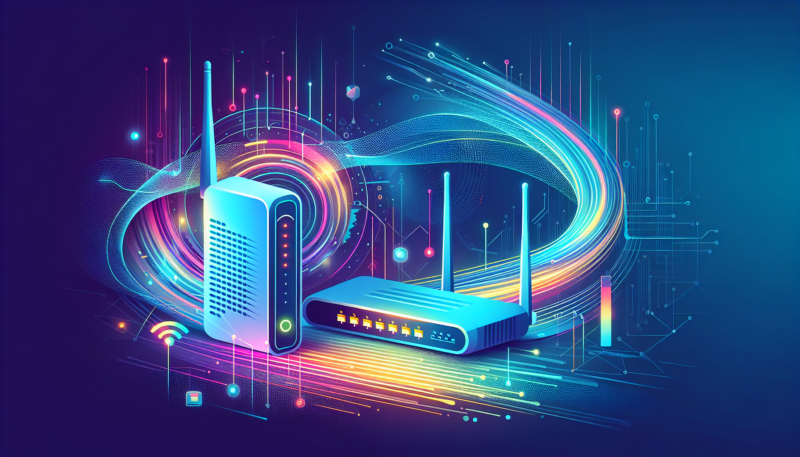
A fundamental aspect of home networking lies in understanding the roles of modems and routers. Both devices are essential for establishing and maintaining an efficient internet connection, but they serve distinct purposes. A modem is the gateway between your local network and the wider internet. It modulates and demodulates signals, allowing digital data to be transmitted over telephone lines or cable systems, such as those provided by a cable modem.
On the other hand, a router’s primary function is to distribute your internet connection to various devices within your home, creating a wifi network. It connects to the modem and enables all your devices to access the internet, manage data traffic, and ensure optimal internet speeds. Whether you’re setting up a basic home networking environment or a more advanced wireless router system, understanding these differences is crucial for a seamless broadband setup.
For insights into safeguarding your online activities, explore Understanding Man-in-the-Middle Attacks: How Hackers Spy on You. For a deeper dive into the roles of these networking devices, visit LifeWire’s comprehensive guide.

What is a Modem? Unraveling Its Functionality
Understanding a modem’s role is crucial for grasping the essentials of networking devices. A modem functions as a bridge between your home and the vast world of the internet. It modulates and demodulates the signals from your internet service provider, enabling a smooth internet connection to your devices.
Typically, modems connect through phone lines, fiber, or cable, depending on your broadband setup. It’s important to note the distinction between a modem and a wireless router. While a modem connects directly to the internet, a router links your devices to the modem, creating a personal wifi network. This highlights a significant aspect of modem and router differences.
For more insights into securing your internet privacy, explore our Beginner’s Guide to Running Local LLMs.
For professional services, always consider authorized modem servicing to maintain optimal internet speeds and connectivity consistency. To dive deeper into how modems fit into your home networking setup, visit Explain That Stuff.

What is a Router? Exploring Its Key Role in Your Network
A router is a fundamental component of any home networking setup, acting as the traffic director for your internet connection. Unlike a modem, which connects you to the internet, a router’s primary function is to distribute that connection across various devices within your network. This makes it essential for establishing a reliable and efficient wifi network.
Routers come in different forms, including wireless routers designed to create a seamless internet experience without the hassle of cables. They play a crucial role in determining internet speeds by managing data packets between the modem and connected devices. During a router setup, configuring security settings is vital to protect your network from potential threats.
Understanding the modem and router differences can help you optimize your broadband setup for better performance. For insights on securing your networks, check out our article on what is a firewall? For more information on routers and networking, PCMag’s guide on the best wireless routers offers a detailed overview.
Modem vs. Router: Core Differences You Should Know
Understanding the differences between a modem and a router is crucial for optimizing your home networking setup. While these two devices are often confused, they serve distinct functions in your internet connection.
A modem is the gateway to your internet service provider (ISP). It converts the digital signals from your ISP into usable data for your home. Modems can be specialized, such as cable modems or DSL modems, each compatible with different types of ISPs. Importantly, a modem connects directly to your wall outlet or fiber-optic line, establishing a broadband setup essential for internet access.
On the other hand, a router distributes the internet connection from your modem to multiple devices within your home. It acts as a central hub, enabling a wifi network that allows wireless and wired internet access to all your gadgets. A wireless router further expands the reach by providing a flexible router setup that supports multiple configurations, enhancing internet speeds and connectivity.
For additional insights into networking devices, consider reputable sources like Cisco’s guide on routers.
How Modems and Routers Work Together to Connect You Online
Understanding how modems and routers collaborate is essential for establishing a reliable internet connection in your home networking setup. Modems and routers are distinct networking devices with specific roles, yet their partnership is crucial for providing seamless online access.
The modem serves as the gateway between your home and the wider internet. It translates signals from your Internet Service Provider (ISP) into a digital format that your devices can understand, often working with a cable modem or DSL connection depending on your ISP. For those who wish to dive deeper into how modems and routers protect your data, consider reading our article on DNS over HTTPS.
Once the modem has established this connection, your wireless router takes over. It distributes the internet signal to multiple devices, allowing for a cohesive wifi network. This distribution is crucial for maintaining optimal internet speeds throughout your home. Proper router setup ensures that every device connected to your home network can access the internet simultaneously without interruption.
Both devices are essential; while the modem connects you to the internet, the router manages your home networking needs. This tandem process enhances your broadband setup and sustains your digital lifestyle. For a deeper technical exploration of modems, routers, and secure networks, we recommend external resources like the extensive guides available on Lifewire. For professional/authorized servicing, always consult experts for setup.
Do You Need Both a Modem and a Router? Here’s Why
In today’s connected world, understanding the role of networking devices like a modem and router can greatly enhance your home networking setup. The modem and router differences are crucial to comprehending why both are essential for a seamless internet connection. A modem is responsible for connecting your home to the internet by translating signals from your Internet Service Provider (ISP). On the other hand, a router distributes this internet connection to all devices within your home network, including your wireless router for wifi connectivity.
Here’s why both are necessary:
- Cable Modem: Acts as a bridge, converting the ISP’s data into a usable internet signal.
- Router Setup: Manages and directs data traffic between the modem and your devices, ensuring optimal internet speeds and security within your wifi network.
- Broader Connectivity: While modems typically connect a single device, routers facilitate multiple connections, offering wireless networking capabilities that expand your broadband setup reach throughout your home.
It’s worth noting that understanding these devices can help avoid common connectivity issues, such as a slow internet connection. For more insights into maintaining your network security, explore how to protect your network from brute force attacks.
For a more comprehensive understanding of how these components work together, you may find additional resources such as Tom’s Hardware Modem and Router Guide useful, providing expert insights into their synergy and setup.
Top Benefits of Having Both a Modem and a Router
In today’s digital age, having both a modem and a router is crucial for a seamless internet experience. These two networking devices work in tandem to provide a stable and secure internet connection for your home or business. Here’s why combining them can optimize your broadband setup.
- Enhanced Internet Speeds: A modem is responsible for connecting your home to the internet service provider, while a router distributes the connection across multiple devices. Together, they ensure optimal internet speeds, essential for activities like streaming and gaming.
- Improved Security: A wireless router can offer enhanced security features that safeguard your network from unauthorized access. The combination of a modem and a router helps protect your data against cyber threats.
- Efficient Home Networking: By integrating both a modem and a router, you can establish a robust wifi network that supports numerous devices, a must-have in today’s smart homes.
- Flexibility in Configuration: With separate modem and router setups, you have more control over the customization of your network settings, such as setting up guest networks or implementing parental controls.
For more insights into optimizing your internet and cybersecurity, explore our comprehensive guide on preventing online threats. For further reading on modem and router differences, you might find this external resource valuable.
Choosing the Right Modem for Your Internet Needs
In the realm of networking devices, selecting the appropriate modem is pivotal for achieving optimal internet speeds and establishing a reliable internet connection. Understanding modem and router differences is essential, as each device serves distinct purposes in your home networking setup. While a modem connects your home to your Internet Service Provider (ISP), a router distributes that connection to various devices in your network, including wireless routers and wired connections.
When choosing a modem, consider the type of internet service you subscribe to, such as DSL, cable, or fiber optic. For instance, a cable modem is ideal for cable internet services, ensuring you harness the full potential of your broadband setup. Additionally, ensure the modem supports the internet speeds provided by your ISP, as this is crucial for seamless online activities such as streaming and gaming.
Moreover, if you’re prone to technical issues or have a complex router setup, investing in a modem with professional/authorized servicing options can be beneficial. For further insights into protecting your online activities, explore our guide on firewalls and cybersecurity.
For comprehensive guidance on selecting the best modem for your specific needs, resources like Tom’s Guide are recommended.
Selecting the Ideal Router for Your Home Network
Choosing the right router for your home networking setup is crucial for ensuring seamless internet connectivity. A wireless router acts as the backbone of your wifi network, influencing both coverage and internet speeds. Begin by assessing your internet connection needs, including the size of your home and the number of connected devices. A dual-band or even tri-band router can offer improved performance by minimizing signal congestion.
Modern routers come equipped with advanced features like MU-MIMO and beamforming, which enhance connection efficiency and range. Prioritize routers that support the latest Wi-Fi standards such as Wi-Fi 6, ensuring optimal performance and future-proofing your investment against evolving technology demands. Understanding modem and router differences is vital to making an informed choice.
When considering home broadband setup, compatibility with your existing cable modem is essential. Check the router’s specifications for compatibility and ensure it can handle the data plans provided by your internet service provider. An effective router setup can greatly influence the overall quality of your internet experience.
For further insights into better securing your network and understanding potential threats, you might find our article on man-in-the-middle attacks useful.
For authoritative guidance on modem vs. router distinctions and their unique functionalities, reading external expert opinions can offer valuable perspectives.
FAQs About Modems and Routers: Addressing Common Questions
What is the difference between a modem and a router?
Understanding modem and router differences is essential for optimizing your home networking setup. A modem connects your home to your Internet Service Provider (ISP) and acts as a translator for data that comes over your broadband setup from the internet. On the other hand, a router distributes the internet connection from the modem to all the devices in your home, both wired and wireless. In simpler terms, the modem provides internet to the router, and the router supplies internet to devices. For more detailed information about protecting your online activities, consider reading our article on what is a firewall and its role in cybersecurity.
Do I need both a modem and a router for an internet connection?
In most cases, both a modem and a router are necessary for an efficient internet connection at home. The modem connects you to the ISP, while the router allows multiple devices to access the internet through either wired connections or a wifi network. Some modern devices combine both functions, known as modem-router combos, which might be suitable for a simpler broadband setup but may not deliver optimal internet speeds or range compared to using separate networking devices. For insights on optimizing your tech devices, explore debunking common cybersecurity myths.
Can I use a modem without a router?
Technically, you can connect a single device directly to a modem using a cable. However, this arrangement is not practical for modern households requiring multiple devices to connect simultaneously. Additionally, connecting directly via a modem doesn’t provide the wireless capabilities that a router offers, limiting flexibility in your home networking layout. For a comprehensive understanding of enhancing your tech and digital life, explore external resources like this detailed comparison of modems and routers.
How do I set up a router?
Router setup can vary depending on the manufacturer and model. Generally, you’ll need to connect your router to the modem using a network cable, power it on, and configure the settings via its web interface or app. This process usually involves setting up your wireless network name (SSID) and password to ensure a secure connection. To further personalize your digital experiences, you might be interested in learning how to build innovative tech projects for home use.
Troubleshooting Common Modem and Router Issues
Experiencing issues with your internet connection can be frustrating, but many common problems with modems and routers can be resolved with simple troubleshooting steps. Understanding the differences between these networking devices is crucial for effective problem-solving. Here are some tips to get your modem and router back online and improve your home networking experience.
-
Check Your Connections
Ensure that all cables are securely connected. For a cable modem, verify that the coaxial cable is tightly fastened. Similarly, confirm that the Ethernet cables linking your modem and wireless router are in order. Loose connections can disrupt your internet speeds.
-
Restart Your Devices
One of the most effective solutions for resolving glitches is to restart your devices. Unplug both your modem and router, wait about 30 seconds, and then plug them back in. This process can often clear temporary issues impacting your wifi network.
-
Update Firmware
Outdated firmware can be a culprit in connectivity issues. Ensure that your wireless router’s firmware is current. Visit the manufacturer’s website for the latest updates, and follow their instructions for installation. This can enhance your broadband setup and security.
For persistent issues, consider consulting this guide on improving wifi connectivity. In some cases, professional servicing may be required to address repairs beyond basic troubleshooting. For more detailed insights on cybersecurity and online connectivity, check out this LifeWire article on modem and router differences.
Upgrading Your Network Equipment: When and Why to Upgrade
In the realm of home networking, understanding when to upgrade your networking devices like modems and routers can dramatically improve your internet connection. Both the modem and the wireless router play pivotal roles in maintaining and enhancing internet speeds and overall connectivity.

Generally, you should consider upgrading your modem and router setup every 3-5 years. This timeframe ensures compatibility with the latest broadband setup standards and technology advancements. Newer devices often support faster internet speeds, enhanced security features, and better handling of multiple connected devices on your wifi network.
Signs that indicate it’s time for an upgrade include frequent connectivity issues, slower internet speeds despite your plan, and struggling to support a growing number of devices. Additionally, advancements in technology, such as the transition to Wi-Fi 6 or more advanced cable modems, make older devices obsolete.
Effective upgrading not only enhances performance but also secures your network against vulnerabilities (learn more about network security in our article on Man-in-the-Middle Attacks). For professional/authorized servicing use, ensuring that your upgrades are handled correctly is crucial.
For comprehensive comparisons on modems and routers, you might find this detailed guide by CNET invaluable.